Studio Monitor Harmonic Distortion: Why Order Matters
By Avery Cole • 10th May
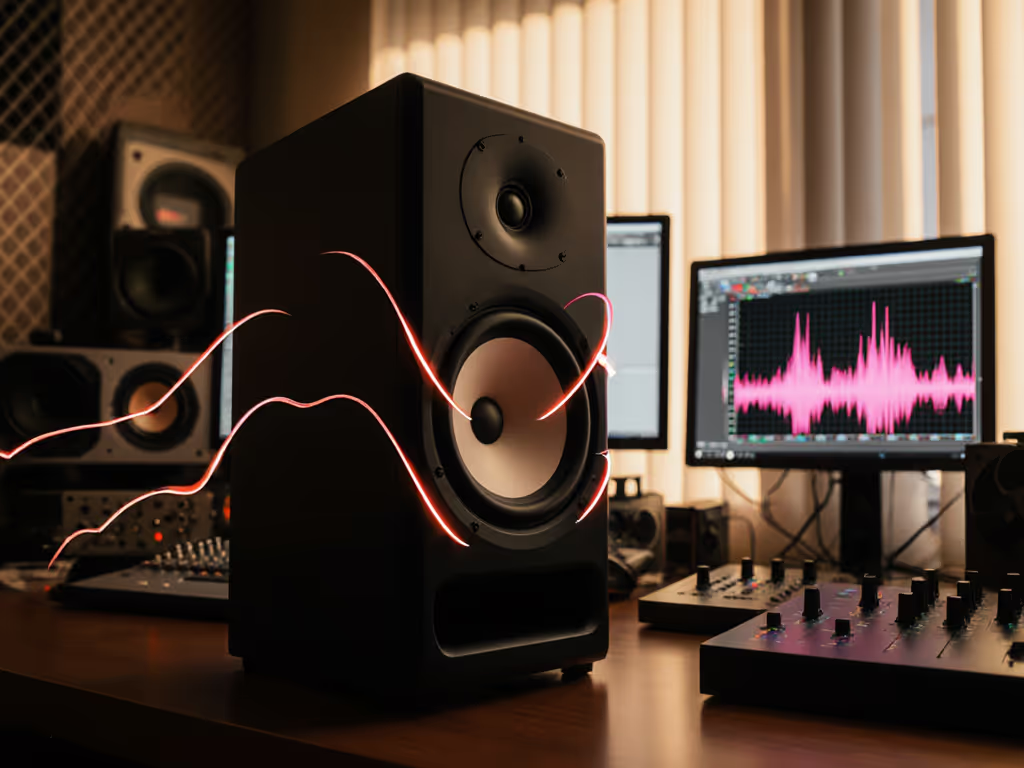
Studio monitor harmonic distortion gets oversold as a single number. Your monitor's spec sheet lists "0.5% THD" or "< 1% THD," and most producers stop there. But the question that changes whether your mixes translate isn't how much distortion, it's which harmonics are being added. In small rooms at 72 dB, this distinction separates monitors you can trust from ones that will cost you revision loops.
What Harmonic Distortion Actually Is
The Simple Version
A studio monitor takes an audio signal and converts it into acoustic output. Ideally, input equals output. In reality, the driver, amplifier, and cabinet add harmonics that weren't in the original mix. These are integer multiples of the fundamental frequency. If your kick fundamental sits at 60 Hz, harmonic distortion might inject energy at 120 Hz, 180 Hz, 240 Hz, and so on. That extra energy is harmonic distortion.
The sum of all those unwanted harmonics is called Total Harmonic Distortion (THD), usually expressed as a percentage. A monitor rated at 0.5% THD means the distorted portion is roughly 34 dB quieter than the clean signal. Sounds trivial. It's not, but only if you know which harmonics are doing the damage.
Why Order Separates Good Specs from Actionable Specs
Harmonics fall into two camps: even-order (2nd, 4th, 6th, 8th...) and odd-order (3rd, 5th, 7th, 9th...). This is where nearfield monitoring in tight rooms becomes critical.
Even-order harmonics are musically related to the fundamental. A 2nd harmonic sits exactly one octave up, and your ear groups it with the fundamental as harmonic content. Result: a bass note might sound slightly warmer or woodier, but it stays intelligible. The note-to-note relationships remain clear.
Odd-order harmonics break the musical relationship. A 3rd harmonic sits an octave-plus-a-fifth above the fundamental, dissonant to our ears. Odd-order distortion doesn't enhance; it raises the noise floor of the monitor. You hear "grit," "mud," or "harshness" that sounds disconnected from the source material. In a small room at low SPL, this masks detail you need: the attack of a snare, the root note of a bass line, the presence of a vocal.
If your monitor adds odd-order harmonics, your mix feels unclear at low SPL, then harsh when you push it to check headroom. That's the signature of a poorly designed driver or amplifier.
Why THD Specs Alone Don't Tell the Story
The Measurement Trap
Manufacturer THD measurement techniques follow a narrow window. Most specs cite THD "at 1 m, at 90 dB SPL, above 100 Hz." This matters because distortion increases as you drive a speaker harder and at lower frequencies. Measure at 90 dB, and a distortion-prone monitor might look clean. Measure at 72 dB (your actual working level), and that same monitor reveals odd-order crud that wasn't obvious.
Also notice "above 100 Hz." Bass is where small-room modes and room coupling hit hardest. Testing above 100 Hz sidesteps the real problem zone for compact rooms (60-120 Hz is where most untreated bedrooms and home offices choke).
Repeatable Evaluation at Your SPL
Instead of trusting a spec sheet, critical listening impact requires testing at the SPL where you actually work. Here's a repeatable method:
- Set your monitor to 72 dB SPL using a meter app (or a calibrated sound meter). This anchors the test to a sustainable, realistic level.
- Play pink noise for 30 seconds, ears at the sweet spot. Listen for grittiness, harshness, or a sense of "dirt" layered under the clean tone. That's odd-order distortion announcing itself.
- Switch to a familiar track (something mixed on monitors you trust, or a well-produced reference). Focus on bass clarity, vocal presence, and mid-range stability. Does the mix feel clean and coherent, or does it sound strained?
- Repeat at 80 dB and 75 dB to see where the monitor's distortion floor rises. Many budget nearfield monitors degrade noticeably below 75 dB because the amplifier design wasn't optimized for low-power operation.
This is how the portable test loop proved its worth: pink noise alignment, five reference tracks, and three real-world checkpoints (headphones, consumer Bluetooth, car stereo). The monitor that fooled me least across all three became my pick, not the one that felt biggest in the sweet spot.
How Monitor Distortion Characteristics Shift with Room Coupling
Nearfield Distance and Boundary Effects
Small-room mix engineers sit 0.7 to 1.2 m from their monitors, close enough to avoid room modes but close enough that the desk, wall, and window reflections still matter. At this distance, harmonic order perception becomes more obvious because:
- Direct sound arrives first. Your ear locks onto the clean direct signal from the monitor.
- Reflections arrive 5-15 ms later, delayed by a few feet of distance. Odd-order distortion in the reflection stands out as a "smear" or "echo of grit" behind the clean note.
- Even-order distortion in the reflection blends, reinforcing the fundamental without sounding foreign.
Placed 18 inches from a wall, a monitor with 2-3% odd-order distortion (even if total THD is under 1%) will make bass decisions feel untrustworthy. You'll compensate by adding bass in the mix, then be shocked when the kick is boomy on earbuds.
The 72 dB Threshold: Why It Matters
SPL Anchors for Small Rooms
Apart from the technical reason (most bedroom and apartment mixes happen quietly because of neighbors), 72 dB is a reliability anchor. At this level:
- Amplifier distortion is at its lowest (more on amplifier classes—class-D and class-AB amps distort more when pushed hard).
- Driver cone excursion is small, minimizing nonlinear behavior.
- Room modes are still active but aren't masking the monitor's distortion signature.
- Ear fatigue is minimal over 8-hour sessions.
If a monitor starts adding obvious odd-order crud at 72 dB, trust quiet decisions, walk away. If it stays clean at 72 dB and scales up cleanly to 80-85 dB for brief loud checks, you've found a monitor worth using.
The verbatim principle from years of car-check failures: If it translates at 72 dB, it translates everywhere.
Practical Checklist: Evaluating Harmonic Distortion in Your Room
Step-by-Step Assessment
- Measure SPL at your sitting position using a phone meter (e.g., SPLnFFT) or a calibrated sound meter. Aim for 72 dB. If you're calibrating with a phone, follow our smartphone calibration guide for step-by-step accuracy.
- Play 10 seconds of pink noise. Does it sound smooth, or is there a sense of static/grit underneath?
- Play a sine sweep (20 Hz to 20 kHz) from a test-tone app. Focus on 60-120 Hz. Do you hear a "fuzz" or "thickness" that doesn't match the clean tone as it rises in pitch?
- Play a vocal-heavy track (acoustic guitar, spoken word, solo voice). Does the midrange sound clear and articulate, or slightly veiled?
- Repeat at 68 dB and 76 dB. Note where the monitor's sound changes most noticeably. If it's dramatic below 70 dB, that monitor isn't designed for quiet work.
- Final check: Move 2-3 feet to the side. For dispersion behavior that affects this off-axis move, see our off-axis response comparison. If imaging collapses and the bass muddles, the monitor is adding intermodulation distortion (a non-harmonic form), which often coexists with high odd-order harmonic distortion.
Record your findings. Repeatable checklists beat gut feelings.
Summary and Final Verdict
Harmonic distortion analysis isn't an audiophile debate. In small rooms at low SPL, it's the difference between a monitor that makes good mix decisions obvious and one that buries them under a layer of grit.
When you see a THD spec, ask yourself:
- At what SPL was it measured? If 90 dB or higher, the spec sidesteps your actual working level.
- What frequencies are covered? Above 100 Hz skips the danger zone for small rooms.
- Does the manufacturer break down odd vs. even order? If no, distortion transparency is low.
Your small room, your 72 dB workflow, and your translation goals don't need a monitor that dazzles in the sweet spot. You need one that delivers honest, clean bass and vocals at quiet levels, scales cleanly when you need to check headroom, and makes your mixes hold up on earbuds, cars, and club PAs without constant revision.
Test at 72 dB using pink noise and familiar tracks. Listen for odd-order grit. Repeat at 68 and 76 dB to find the distortion floor. The monitor that stays clean across that window and across your desk boundaries (not the one that sounds biggest) is the one that translates. Build your decision on that test, not on marketing claims or spec sheets designed to hide the truth.
If it translates at 72 dB, it translates everywhere. Trust quiet decisions.
Related Articles