Best Studio Monitors: KRK 7-Inch G4 vs Eris E7 XT for Small Rooms
By Avery Cole • 3rd Oct
Quick verdict
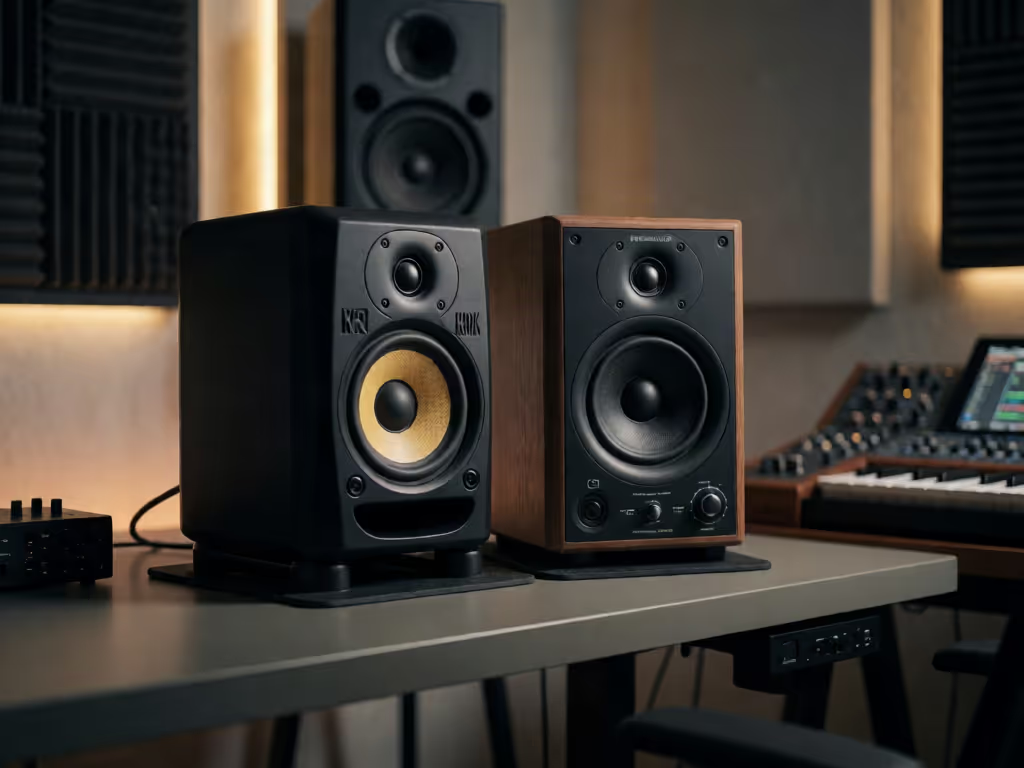
For a small room, choose the KRK ROKIT 7 G4 for its 25-setting DSP graphic EQ, front-firing port, and high-density Iso-foam pads intended to decouple it from its supporting surface. Choose the PreSonus Eris E7 XT for its listed 100° × 60° waveguide and separate acoustic controls.
- Choose the KRK if: You want monitor-based EQ adjustment. Its front port is a documented configuration, but placement still requires testing.
- Choose the PreSonus if: Desk interaction and stated dispersion are priorities.
- Main trade-off: This is a feature-and-placement decision, not a verified sound-quality winner. Place either monitor along the room’s long axis, away from corners and bare desks, then test at a consistent level.
Important: The available evidence does not include independent measurements or a like-for-like listening test, so claims about voicing, bass extension, low-volume translation, imaging, and genre suitability remain unproven.
For producers narrowing down the best studio monitors for a compact bedroom or desktop room, the KRK ROKIT 7 G4 and PreSonus Eris E7 XT comparison presents a practical choice: two studio monitors with room-adjustment features, but different approaches to that adjustment. For EDM production monitors, do not start by asking which one promises the biggest bass. Start by asking which monitor and setup will make your kick, bass, vocal, and balance decisions survive earbuds, a Bluetooth speaker, and the car at sensible working level.
That distinction matters in a compact room. For more small-room-specific guidance, see our best small room studio monitors guide before choosing between these monitors. Corner placement can add unevenness to bass response, and small forward/backward position changes can change bass behavior. A front port, a larger woofer, or a tuning control is not a substitute for placement. It is a tool to use after placement is as good as the room permits.
The monitor that helps you finish is the one that makes fewer surprises outside the room.
The Short Answer
Choose the KRK ROKIT 7 G4 if you want onboard DSP-driven graphic EQ with 25 documented settings and a documented front-firing port. Treat those controls as a way to refine an already sensible setup, not as a cure for a deep room null, a corner-loaded bass problem, or a vibrating desk.
Choose the PreSonus Eris E7 XT if your priority is its stated 100° horizontal by 60° vertical EBM waveguide and its separate Level, high-pass filter, LF Trim, HF Trim, and Acoustic Space controls. Its published design emphasis is wide horizontal coverage with narrower vertical coverage; the retailer listing attributes reduced desk reflections to that vertical behavior, although that result will still depend on your desk and placement.
Neither choice can be called a proven winner for bass accuracy, low-volume translation, imaging, or a specific genre from the available comparison evidence. There is no independent, like-for-like measurement or listening test here that establishes that. The reliable decision is feature fit plus a repeatable in-room test.
At-a-Glance: What Is Actually Different?
| Decision point | KRK ROKIT 7 G4 | PreSonus Eris E7 XT | What it means in a small room |
|---|---|---|---|
| Low-frequency driver listing | 7-inch monitor | 6.5-inch woven-composite LF driver | Do not assume a driver-size difference predicts usable in-room bass or translation. The room has a major say. |
| Room adjustment | DSP-driven graphic EQ with 25 settings | Level, HPF, LF Trim, HF Trim, and Acoustic Space controls | Both give you adjustment options. The documented controls are different, and their exact corrective effect is not established here. |
| Port arrangement | Front-firing port | No port configuration documented in this comparison | A front port does not make placement testing unnecessary. Keep monitors out of corners and test positions. |
| Directivity feature | No comparable directivity specification available | Listed 100° H × 60° V EBM waveguide | The E7 XT offers a documented dispersion target to consider for desk-based work. |
| Desk decoupling | Listed high-density Iso-foam base pads | No equivalent documented base feature in this comparison | A desk can still resonate. Use a rigid, stable support strategy either way. |
The table is deliberately unglamorous. It is more useful than declaring a winner from a driver diameter or a port location.
KRK ROKIT 7 G4: The Case for Onboard DSP and a Front-Firing Port
The KRK ROKIT 7 G4 is documented as a 7-inch powered studio monitor with a DSP-driven graphic EQ offering 25 settings, a front-firing port, high-density Iso-foam pads intended to decouple the monitor from its supporting surface, and a built-in brickwall limiter.
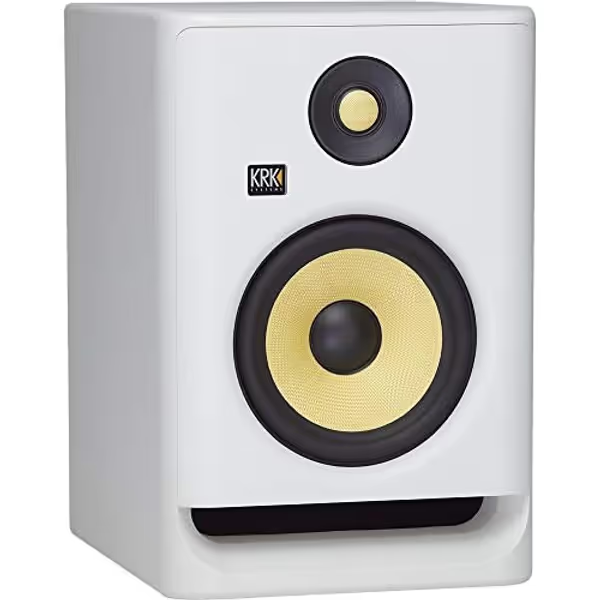
KRK RP7 Rokit 7 G4 Studio Monitor
Accurate sound, versatile DSP EQ, and punchy bass for modern artists.
Woofer Size7"
Woofer Size7"
Pros
DSP EQ adapts to your room acoustics
Exceptional low-end with front-firing port
Versatile for all music genres
Cons
Some users report minor software bugs
Customers praise the excellent, clean sound and surprising bass clarity.
Customers praise the excellent, clean sound and surprising bass clarity.
The front port is a documented feature. Keep the claim in proportion: it does not establish that placement can be ignored. Keep the monitors out of corners, avoid direct desk placement where possible, and test small forward or backward moves rather than relying on port orientation.
The KRK's more distinctive decision advantage is the 25-setting EQ system. That can suit a creator who wants adjustment available inside the monitor rather than relying entirely on external correction. But do not stack fixes blindly. If you use the onboard EQ, make one change at a time, keep notes, and compare against familiar reference material. If the kick suddenly disappears after a setting change, return to placement before assuming you need more EQ.
The Iso-foam pads are intended to reduce coupling to the surface. That is useful to have, but it does not turn a hollow desk into a neutral monitor stand. The support itself needs to be solid.
This makes the KRK a sensible candidate for the producer who wants a straightforward, monitor-resident adjustment path. Its documented feature set is about setup flexibility, not a guaranteed genre-specific sound signature.
PreSonus Eris E7 XT: The Case for Waveguide Coverage and Separate Controls
The PreSonus Eris E7 XT uses a listed 6.5-inch woven-composite low-frequency driver and 1.25-inch silk-dome tweeter. Its defining design feature is a listed 100° horizontal by 60° vertical EBM waveguide, alongside Level, high-pass filter, LF Trim, HF Trim, and Acoustic Space controls.
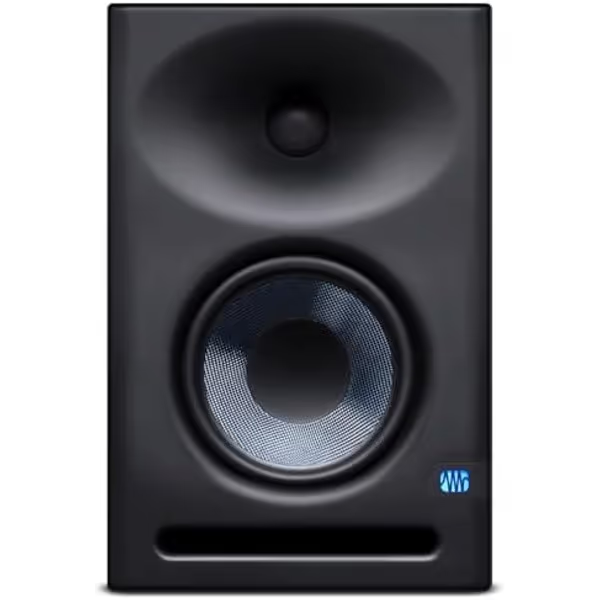
PreSonus Eris E7 XT Studio Monitor
Achieve consistent, professional mixes even in imperfect small rooms.
Waveguide100˚(H) x 60˚(V) EBM for wide sweet spot
Waveguide100˚(H) x 60˚(V) EBM for wide sweet spot
Pros
Accurate room tuning controls prevent muddy bass
Wide sweet spot minimizes imaging shift
Includes Studio One Prime & plugin suite
Cons
Bass may be slightly weak without a subwoofer
Not ideal for very high SPL monitoring
Customers praise the clean, balanced, and detailed sound, with strong clarity across frequencies, though some note bass can be slightly weak alone.
Customers praise the clean, balanced, and detailed sound, with strong clarity across frequencies, though some note bass can be slightly weak alone.
The "E7" name can lead shoppers to assume a 7-inch woofer. The listed low-frequency driver is 6.5 inches. That is not a defect; it is simply the specification to use when comparing physical driver size. More important, do not turn that number into an unsupported conclusion about which monitor reaches lower or produces more reliable bass in your room.
For desktop creators, the waveguide is the useful differentiator. The retailer listing gives wide horizontal and narrower vertical dispersion, and attributes reduced desk reflections to the narrow vertical behavior. That is a design claim to consider when your speakers must live close to a work surface. Still, your own desk height, surface area, monitor angle, and listening position decide whether the benefit shows up in practice.
The E7 XT's documented controls are separate high-pass, LF Trim, HF Trim, Acoustic Space, and level controls. The available evidence does not establish the adjustment ranges or prescribe universal settings. So resist internet presets. Begin conservatively, change one control, then repeat the same reference passages and checkpoints.
The E7 XT is the cleaner feature-fit choice when a wide stated horizontal listening area and reduced vertical energy toward a desk are central to your setup priorities. It is not a verified claim that it will image better, sound more neutral, or translate better than the KRK in every small room.
A Small Room 7-Inch Monitor Setup That Does Not Fight the Speakers
A small room 7-inch monitor setup becomes reliable through position first, controls second. The studio monitor placement guidance is simple enough to execute in one evening.
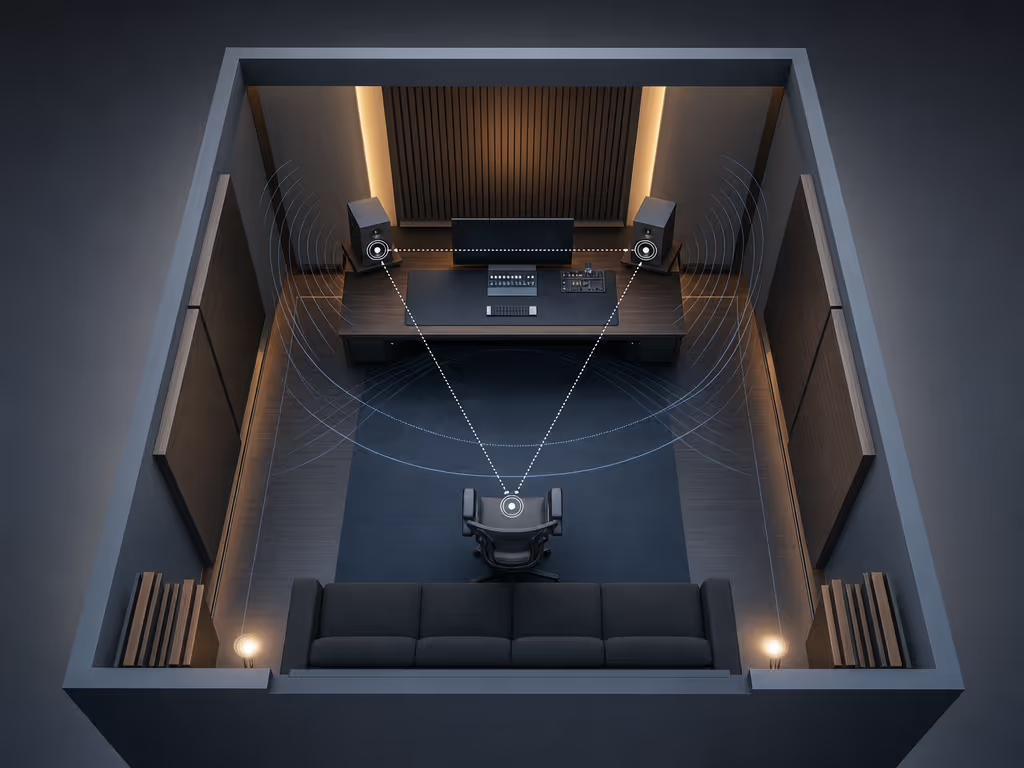
1. Face down the room's longest axis
In a smaller room, start with the monitors firing down the room's longest dimension rather than across its narrow width. This does not guarantee flat bass. It gives you a more sensible starting geometry and reduces the temptation to solve every problem with controls.
2. Keep both monitors out of corners
Corner placement adds unevenness to bass response. If one speaker is closer to a corner than the other, fix that asymmetry before chasing tonal changes with EQ. You are trying to make the left and right starting conditions as similar as possible.
3. Get the cabinets off the bare desk when possible
Avoid placing monitors directly on a desk or shelf. Those surfaces can create bass resonances. Solid stands are the first choice where space permits. If the monitors must stay on the desk, use foam pads or another decoupling approach with a rigid support surface on top.
Control the desk bounce. Check the position before touching the EQ. The punctuation is a little blunt, but the workflow is right: physical causes first, electronic adjustment second.
4. Move forward and backward, then recheck bass
Small forward/backward moves can change bass behavior. Work in repeatable steps:
- Pick a starting location that is out of the corners.
- Play one familiar bass-and-kick reference at your normal level.
- Move both speakers by the same small amount forward or backward.
- Repeat the same passage.
- Keep the position that gives the least confusing change between kick hits and sustained bass notes.
Do not try to find a magical position. The room decides that. Your task is to identify the least troublesome result available in your actual layout.
How to Evaluate These Monitors at 70-75 dB
I favor decisions made around 70-75 dB SPL, not the first exciting loud pass. Once the monitors are positioned, a home studio monitor calibration guide can help you establish a more repeatable listening reference. At this level, you can work longer and hear whether balances remain understandable without turning the room into a different instrument.
A portable test loop saved me after enough car-check failures to recognize the pattern: pink-noise alignment, five references, then three ordinary playback points: Bluetooth speaker, old earbuds, hatchback. The product that impressed at the desk was not always the one that made the least trouble afterward.
Use this comparison routine for both monitors.
Level-match before you judge
Do not switch between monitors at obviously different volume. Use pink noise to arrive at a repeatable working level, then leave the interface monitor control alone during the comparison.
Use five references with jobs, not genres
Choose familiar tracks that answer specific questions:
- Kick and sustained bass: Can you distinguish their roles without guessing?
- Dense vocal or dialogue: Can you follow the midrange without raising the level?
- Bright percussion or vocal sibilance: Does the balance stay workable over several minutes?
- Sparse arrangement: Do panned elements remain easy to place?
- A track you know in the car: Does your low-end expectation match the real-world checkpoint later?
For EDM, use a reference with the kind of kick-to-bass relationship you actually build. That does not make either model a verified "EDM winner." It makes your evaluation relevant to your work.
Make one change, then checkpoint it
With the KRK, begin without changing its DSP EQ, then try one setting at a time. With the PreSonus, start with its controls unchanged and record their positions before changing HPF, LF, HF, or Acoustic Space. The exact baseline labels and adjustment ranges should be confirmed in the current product documentation.
After each change, export a 30-60 second work-in-progress and listen on your three checkpoints. Write down only actionable outcomes: "bass too heavy on earbuds," "vocal gets sharp on Bluetooth," or "kick disappeared in car." Then return to placement or one monitor control, not five moves at once.
Keep your core decisions repeatable, then use outside playback to catch surprises rather than to rebuild the mix.
Should You Upgrade From 5-Inch Studio Monitors?
An upgrade from 5-inch studio monitors is not automatically an upgrade in truthfulness. Neither monitor's documented feature list proves how much additional low-frequency extension you will hear in your room, whether it will remove the need for a subwoofer, or whether it will improve translation at low volume.
Upgrade when your current monitors are limiting the decisions you can make, not when a woofer-size number promises a shortcut. If bass changes drastically with small monitor position changes, solve placement and desk coupling before expecting a new pair to solve it.
The KRK gives you onboard DSP EQ and a front port. The PreSonus gives you separate acoustic controls and a waveguide with stated coverage. Those are meaningful workflow differences. They are not proof that either monitor will bypass small-room acoustics. For a deeper explanation of how to interpret specifications without overvaluing a single number, see our guide to studio monitor frequency response.
FAQ
What is the 38% rule for studio monitors?
The available placement evidence does not substantiate the exact 38% rule. A better supported starting point is to face the monitors down the room's longest axis, keep them out of corners, avoid direct desk or shelf placement, and test small forward/backward position changes. Measure or listen methodically in your room rather than treating one percentage as a finish line.
Is the KRK front-firing port better for a desk?
It is a documented configuration, but it does not make placement irrelevant. Keep the monitors out of corners, avoid direct desk placement where possible, and test their positions.
Does the PreSonus E7 XT waveguide guarantee a wider sweet spot?
The E7 XT is listed with a 100° horizontal by 60° vertical EBM waveguide. That is a documented design feature, not independent proof of a superior sweet spot in every room. Your desk and placement still matter.
Final Verdict: Which Should You Buy?
For this narrow choice, the KRK ROKIT 7 G4 is the better fit if you value its 25-setting DSP-driven graphic EQ, front-firing port, and high-density Iso-foam pads intended to decouple it from its supporting surface. It gives the compact-room producer a monitor-based adjustment workflow, provided you use it after fixing obvious placement problems.
The PreSonus Eris E7 XT is the better fit if you prioritize the listed 100° × 60° waveguide and separate acoustic controls. It is the more targeted option for a desk-bound setup where the listed waveguide coverage is a key concern.
Neither model earns a universal "best studio monitors" crown from features alone. The best purchase is the one whose adjustment method you will actually use, positioned down the long axis, out of corners, and evaluated at 70-75 dB with the same references and real-world checks every time. That is how a monitor stops being impressive gear and becomes a dependable decision tool.
Related Articles